
Kindred — A Family App with a Shared Calendar and an AI Assistant
A mobile product for families separated by countries and time zones: shared spaces, a shared calendar, and AI agents that turn a single spoken sentence into an event. From idea to release on the App Store and Google Play in four months, with a team of four.
- Client
- Startup, family-tech
- Platform
- iOS + Android
- Team
- 4 people
- Timeline
- ~4 months
// Problem
Two Problems One App Had to Solve
The first problem is practical. A family's plans live in four places at once: a messenger thread, somebody's head, a note on the fridge, and each person's personal calendar. Who's taking the kid to their club on Thursday, is Saturday free, when does dad's work meeting end — none of it can be answered without writing in the chat first.
Shared calendars solve this on paper, but nobody uses them. Adding an event means opening the app, tapping the plus button, and filling in a form: date, time, duration, place, participants. That's a minute of work for an event that lasts an hour. A week later the calendar is empty and the family is back in the chat.
The second problem is human. Ukrainian families are separated: some stayed home, some left, adult children and parents now live in different countries and time zones. It's not just the logistics that break down — the sense of a shared life goes with them. A father doesn't know his child has a school performance tomorrow, not because he doesn't care, but because he's a thousand kilometers away and an hour behind.
Both problems demanded the same thing: make keeping a shared calendar fast enough that people actually do it, and make it work correctly across borders and time zones.
// Solution
A Shared Space Where One Sentence Creates an Event
The product is built around a single idea: the user says what they want, and the AI assembles the structured event. The manual form is still there, but as a fallback rather than the main path.
Spaces instead of one calendar
Family, friends, a work group — separate spaces, each with its own members, categories, and plans. You join with a six-digit invite code — no contact lookups, no extra sign-ups.
An event from one sentence
"Plan a movie night for tomorrow from 8–10pm and repeat it every week" — the AI extracts the date, time, duration, location, participants, and recurrence rule, shows the event card, and adds it to the calendar once confirmed.
Voice instead of typing
Speak the request instead of typing it — Whisper transcribes the audio. On the way home from work, a shared plan takes about ten seconds and one hand.
An AI that suggests, unprompted
The assistant notices an empty weekend and proposes activities based on what they enjoy and what they'd rather skip. Turn any idea into a calendar event with one tap.
// How It Works
From a Spoken Sentence to an Event in the Calendar
A request by voice or text
A member types or speaks an ordinary sentence in the assistant chat. No commands, keywords, or formats — plain conversational language.
Speech recognition through Whisper
The voice message is transcribed to text. The model handles Ukrainian reliably, so names, places, and times survive intact.
The orchestrator picks an agent
The request reaches a CrewAI orchestrator, which identifies the intent — create an event or suggest an activity — and routes it to the right agent.
The planner agent builds the structure
The agent has its own set of tools and pulls the date, time, duration, location, participants, and recurrence rule out of the sentence. The user's current time and time zone are passed into its context, so "tomorrow at eight" is calculated from their day, not the server's.
The event is stored in UTC and reaches everyone
The backend writes one event in UTC, each client shows it in the user's own time zone, and Expo Notifications pushes it to everyone else in the space. A mother in Kyiv and a father in Warsaw see the same movie night — each in their own local time.
// Screens
How It Looks in the App
We built the design, the design system, and every screen from scratch. The interface is in Ukrainian — we made the product for Ukrainian families.
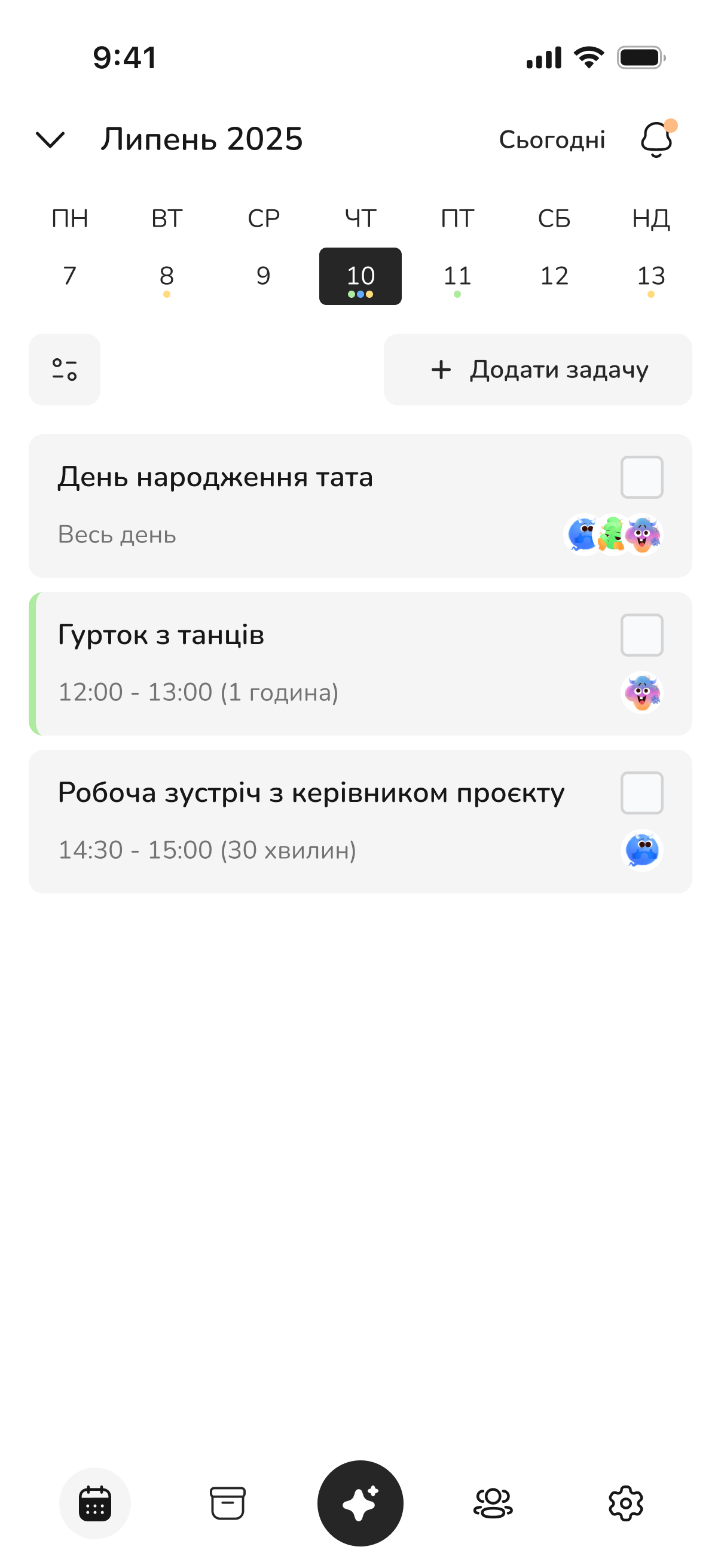
Shared calendar: the day's events, members, categories, completion checkmarks
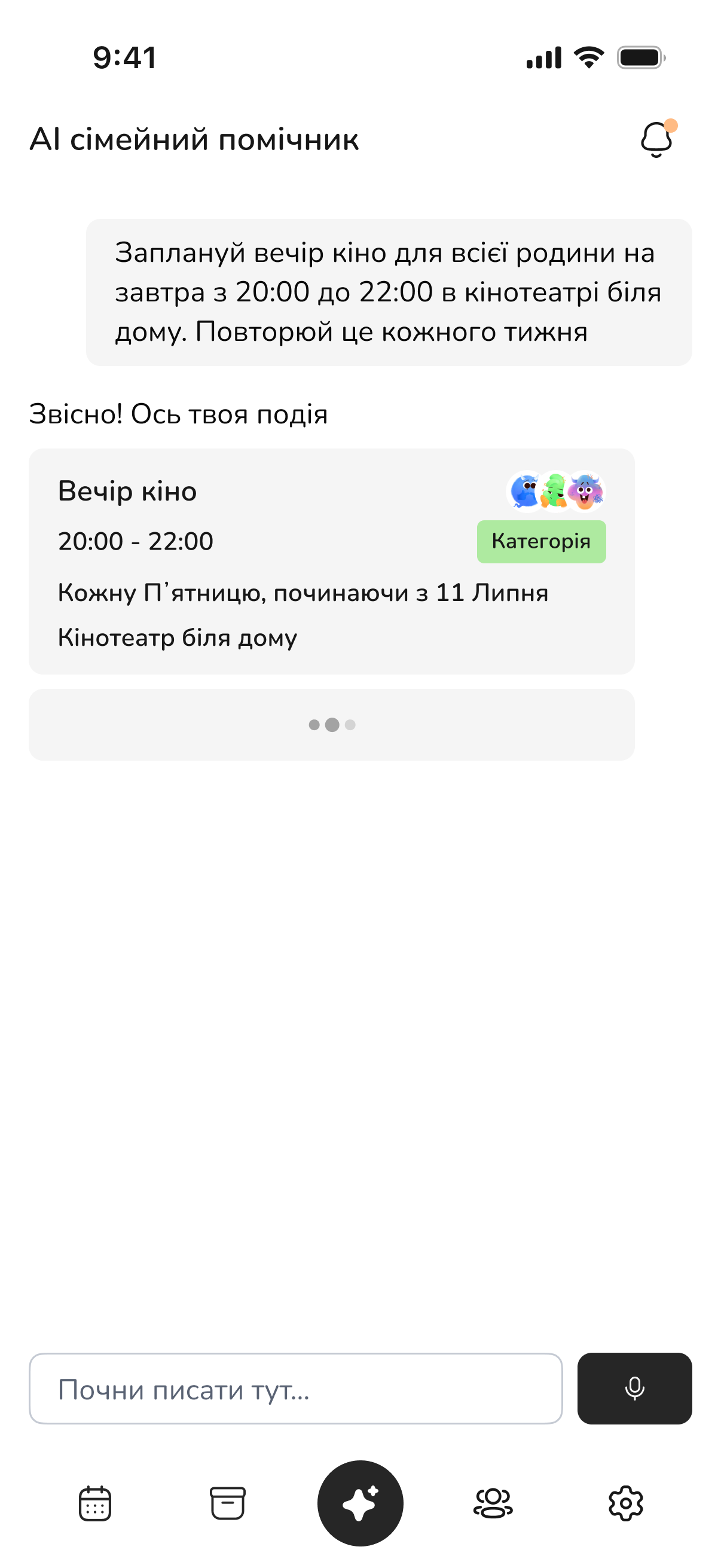
A sentence becomes a structured event with the recurrence detected
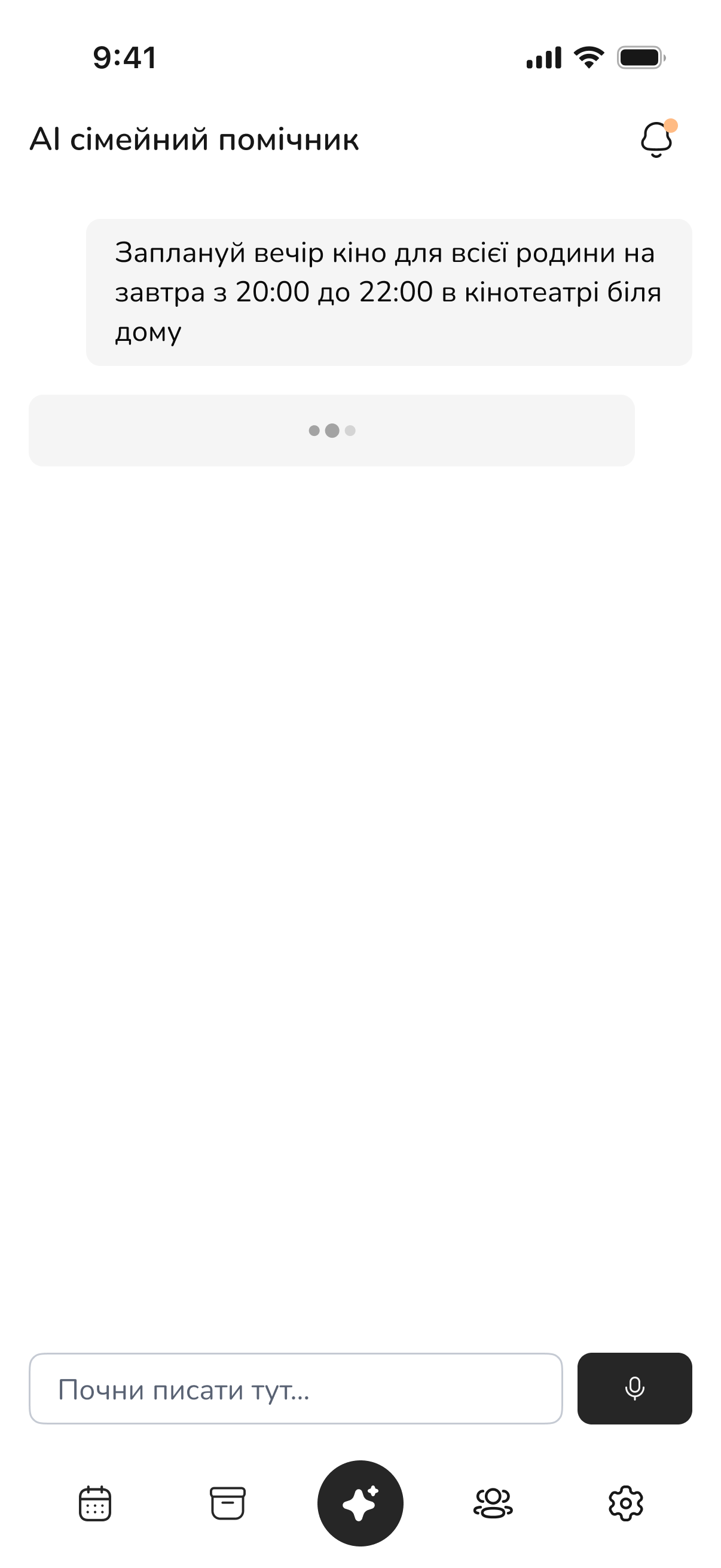
Voice request: Whisper transcribes the audio
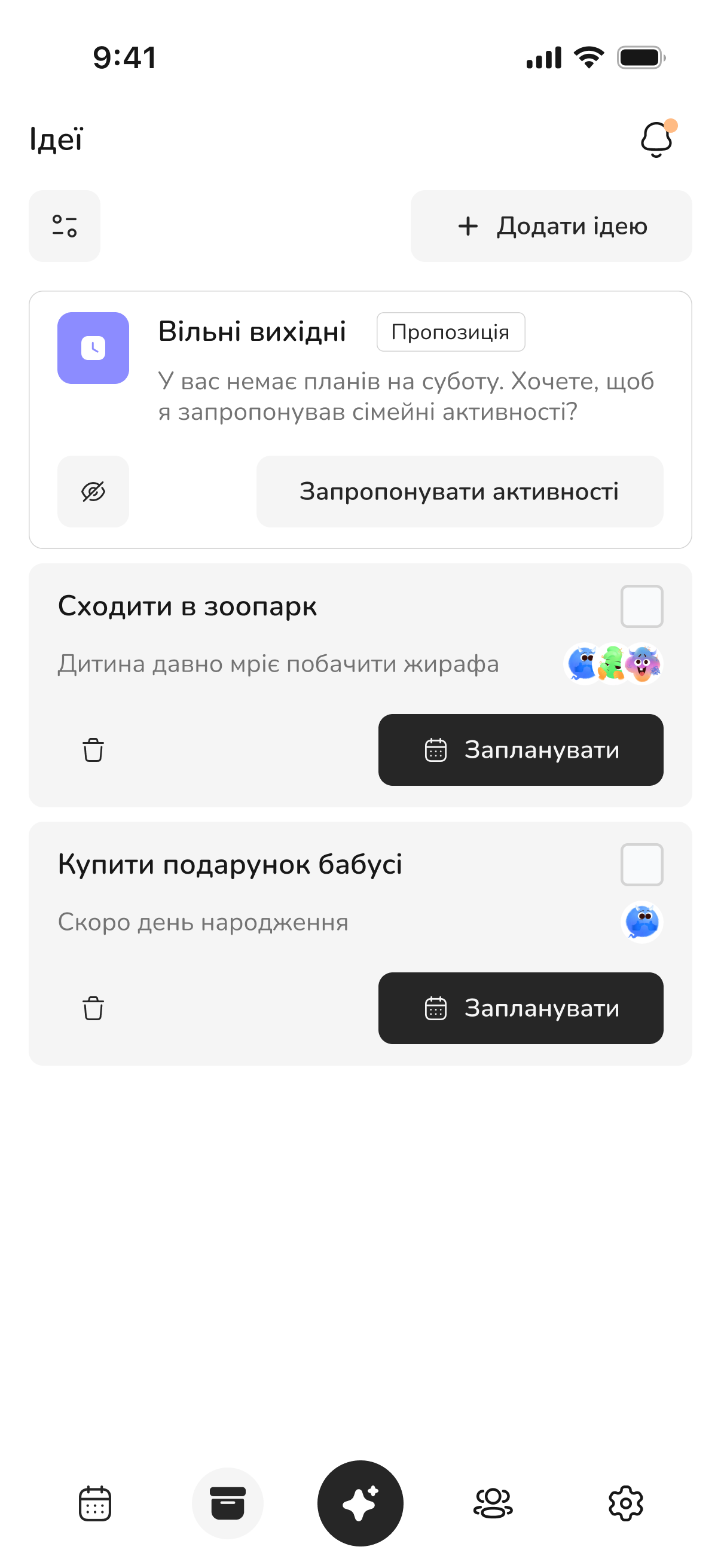
The assistant spots a free Saturday and offers activities
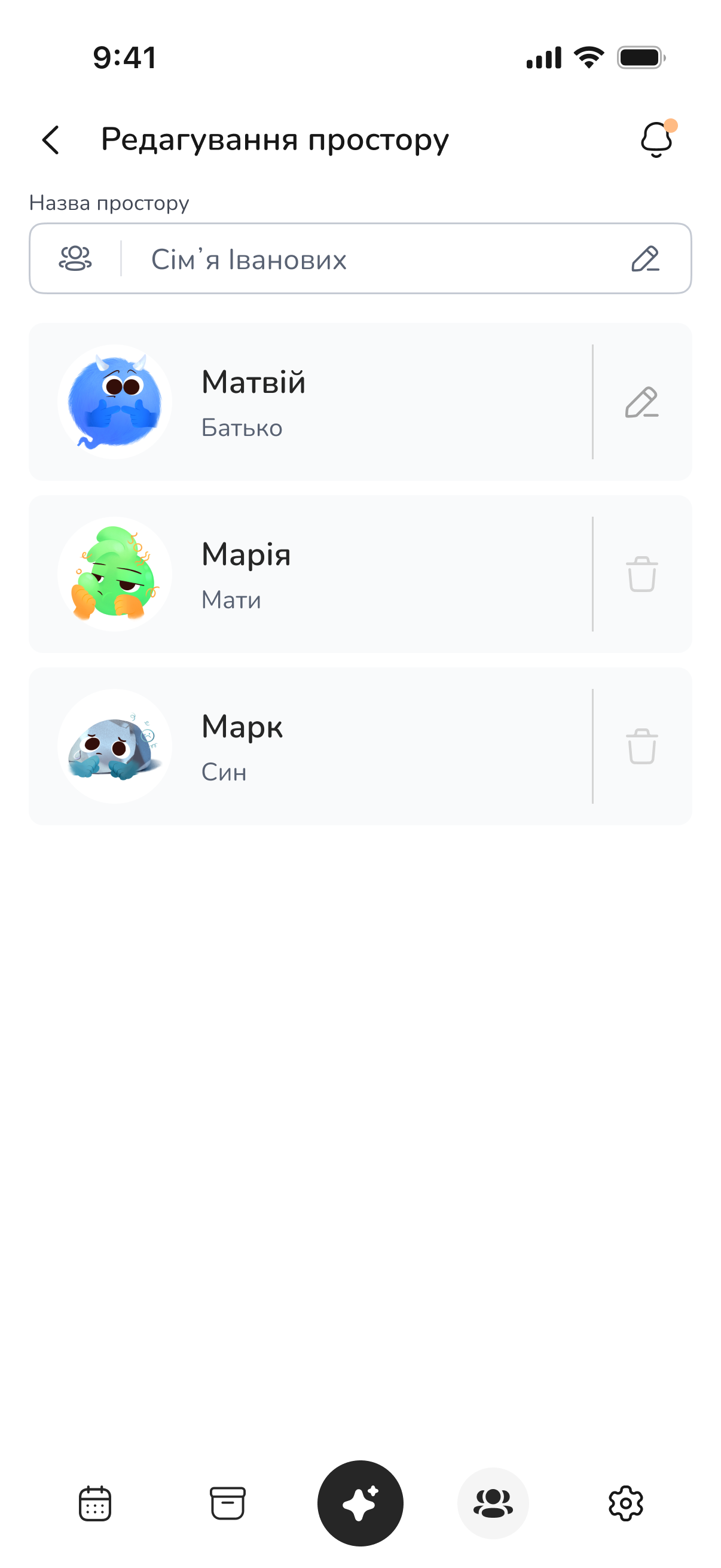
A space: its name, members, and family roles
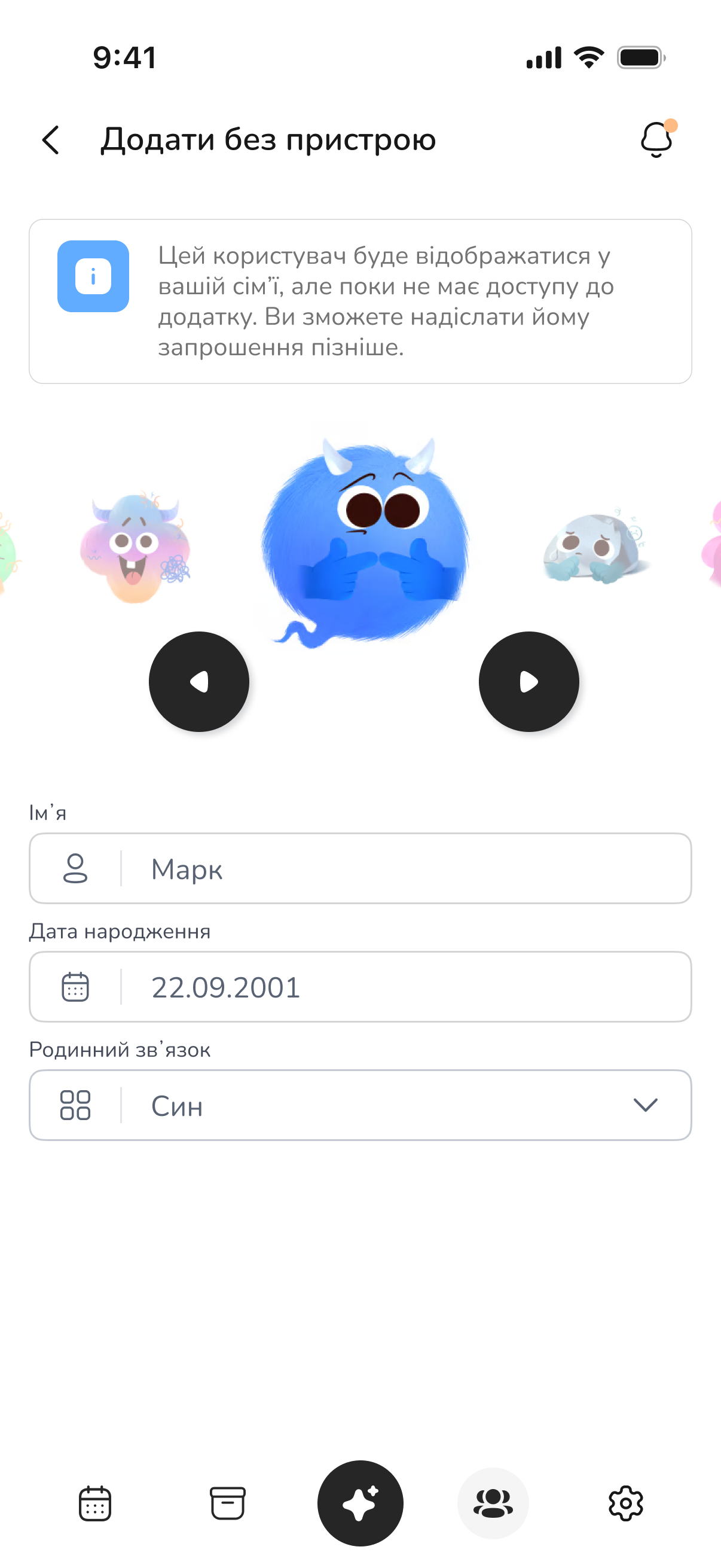
A member without a device: visible in the family, invited later on
// Technology
Technology Stack
We chose the stack for a mobile product with an AI layer that had to ship in four months and stay maintainable by four people.
Why OpenAI + CrewAI?
OpenAI handles everyday spoken Ukrainian well — critical here, because the entire product rests on people speaking an ordinary sentence instead of filling in fields. CrewAI let us split the logic into an orchestrator and two agents with their own tools: the planner creates events, the advisor generates ideas. Instead of one bloated prompt we ended up with two independent roles that could be changed and tested separately.
// Key Capabilities
What the Product Can Do
Multiple spaces
Family, friends, a work group — separate spaces, each with its own members, categories, and plans.
A member without a device
A small child, a grandparent, or even the dog can be added as a member without an account: they show up in the family, can be assigned to events, and can be invited later.
Correct time across countries
Events are stored in UTC and shown to everyone in their own time zone. A family spread across three countries sees one shared plan.
Plan reminders
Event reminders and alerts when the shared calendar changes, delivered through Expo Notifications — switchable off in the profile.
Client version gating
The backend enforces a minimum supported API version: an outdated app gets a blocking update screen instead of confusing errors.
Account and data deletion
Full profile and data deletion from inside the app — an App Store requirement designed in from the start, not bolted on before review.
Ready to start?

A quick audit to pinpoint where you're losing time and money right now — and whether AI can fix it


